

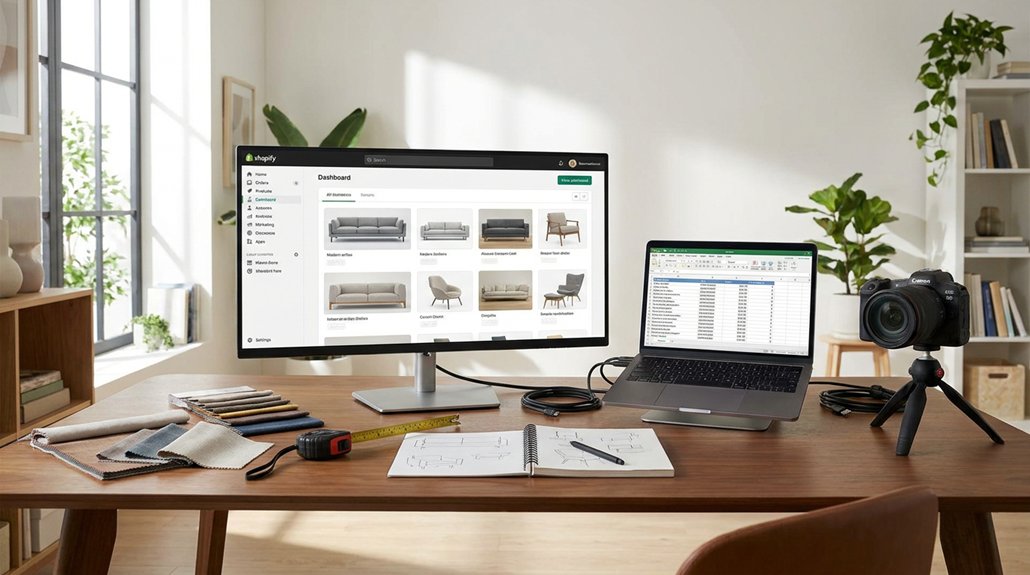
We will guide you through a straightforward, step-by-step process to connect your furniture supplier’s dropship feed to Shopify. This integration ensures you accurately sync SKUs, variants, inventory, and pricing.
Map Supplier SKUs to Shopify IDs: Start by aligning your supplier’s SKUs with Shopify IDs. This mapping is critical for maintaining consistent product listings and avoiding discrepancies in inventory and pricing.
Choose the Right Feed Format and App: Select an appropriate feed format that suits your supplier’s data structure. Common formats include CSV, XML, or JSON. Use an app like DSers or Oberlo for seamless integration.
Clean Bulky Catalogs: Remove unnecessary items from your supplier’s catalog. Focus on products that sell well. This step reduces clutter and improves the efficiency of your store.
Standardize Attributes: Ensure product attributes like dimensions, colors, and materials are consistent. Standardizing these attributes helps customers easily compare products and enhances their shopping experience.
Set Rules-Based Pricing**: Implement rules-based pricing to protect your profit margins**. For example, set a minimum markup percentage on each product to ensure you maintain profitability.
Automate Inventory and New Product Sync****: Use automation tools to sync inventory levels and new products automatically. This action prevents overselling and keeps your store updated with the latest offerings.
Fix Common Feed Errors: Regularly review and address common feed errors like missing images or incorrect prices. Proactively resolving these issues improves store performance and customer satisfaction.
By following these steps, you can effectively connect your furniture supplier’s dropship feed to Shopify, ensuring a smooth operation and a better shopping experience for your customers.
Connect and Map Your Furniture Feed to Shopify
Once I prepare the furniture feed, I connect it to Shopify and map critical fields for seamless product syncing and conversion. I start by aligning supplier SKUs with Shopify product IDs. Each variant—size, color, material—maps to a unique variant record. This setup prevents duplicate listings and stock conflicts.
Next, I optimize the furniture feed by normalizing titles and standardizing measurements. I map attributes like material, style, and room type into metafields and filters. This structured approach enhances on-site search and collection filtering, which typically improves conversion rates and reduces bounce rates.
After that, I map inventory, cost, and MSRP fields. This allows Shopify to accurately calculate margins and display product availability. I also connect shipping dimensions and weights to our carrier rules, ensuring profitable and predictable rates. Additionally, I ensure that clear pathways are accounted for in the furniture feed to reflect optimal arrangements in customer spaces.
Finally, I validate supplier integration strategies through test imports. I spot-check 20 to 50 SKUs to confirm that images, variants, and prices display correctly. This hands-on testing ensures that everything functions as intended before going live.
Choose Feed Formats, Apps, and Tools
Before pushing catalog data, we identify the best feed formats, apps, and tools for a clean sync and high return on effort. We start with supplier requirements: we check if they provide CSV, XML, JSON, or an API. We select feed formats that align with Shopify’s structure to minimize transformation work. This approach increases data compatibility and reduces error rates.
Next, we evaluate integration tools that support scheduled imports, rules-based mapping, and detailed error logs. We compare automation benefits by measuring time saved on inventory updates, price adjustments, and product categorization against the time spent on manual maintenance.
We favor integration tools with scheduled imports, rules-based mapping, detailed error logs, and measurable time savings over manual maintenance
We assess how each app addresses furniture-specific pricing strategies, such as MAP rules, multi-tier margins, and shipping costs based on weight or dimensions. Our process involves confirming supported formats, validating compatibility with Shopify, testing a sample feed, and measuring sync speed, update frequency, and failure rates.
We commit only after ensuring the selected tools are stable and scalable. Additionally, we consider how the choice of wood types impacts product descriptions and marketing strategies.
In terms of limitations, we avoid tools that lack support for required formats or that don’t integrate seamlessly with Shopify. We also consider edge cases where data discrepancies could arise, particularly with complex pricing structures.
Clean Bulky Furniture Catalogs Before Import
We strip bulky furniture catalogs to create clean, structured data for Shopify. We audit essential supplier fields, including titles, descriptions, SKUs, dimensions, weights, and materials.
We flag missing data, merge duplicate entries, and remove discontinued items to optimize inventory and avoid wasted ad spend.
Next, we normalize furniture categorization. We map each item to a consistent taxonomy, such as “Living Room > Sofas > Sectionals,” using rules-based bulk editing. This organization allows us to segment collections, filter navigation, and analyze performance by room, style, and price range.
We standardize attributes like colors, finishes, fabrics, and packaging details. This standardization ensures that search functions, filters, and merchandising operate effectively. Understanding traditional furniture styles can also enhance how we present and categorize our product offerings.
We also validate measurements, weight units, and carton counts to prevent shipping errors and reduce costly returns.
Action Steps for Clean Data
- Audit Supplier Fields: Check for completeness in titles, descriptions, SKUs, dimensions, weights, and materials.
- Flag Missing Data: Identify and document any incomplete fields for immediate correction.
- Merge Duplicates: Combine duplicate entries to streamline the catalog.
Optimize Furniture Categorization
- Map Items: Assign each furniture piece to a predefined taxonomy.
- Segment Collections: Organize items for easier navigation and performance analysis.
Standardize Attributes for Reliability
- Attribute Standardization: Ensure all data on colors, finishes, fabrics, and packaging follows a consistent format.
- Validate Measurements: Confirm that all dimensions, weight units, and carton counts are accurate to avoid shipping discrepancies.
Configure Furniture Products, Variants, and Pricing
Clean data establishes a solid base for configuring furniture products, variants, and pricing. I categorize each SKU by room, style, material, and primary function. This structured approach enhances search capabilities and improves faceted filtering, ultimately increasing conversion rates and average order value.
I implement variant management rules to standardize product options. For example, I ensure consistent choices for size, color, fabric, and configuration, such as “Sectional – Left Chaise.” This allows customers to view a single, clear product instead of multiple confusing duplicates.
I also assign consistent images, dimensions, and key attributes to each variant to minimize customer confusion and returns.
For pricing, I calculate the base landed cost by combining supplier cost, freight, and handling. Then, I apply category-specific margin rules and set psychological price points to meet our margin targets.
I also enforce minimum advertised price constraints to maintain pricing integrity. I only configure compare-at prices when genuine savings exist, which helps preserve customer trust and encourages click-through.
Automate Inventory, Pricing, and New Product Sync
A tightly automated sync for inventory, pricing, and new products transforms a static dropship catalog into an active profit generator. I map the supplier’s stock levels, costs, and product creation feeds directly to Shopify fields. I schedule updates every 15 to 30 minutes based on sales velocity. Fast-moving SKUs receive more frequent checks, while low-volume items refresh less often to conserve API calls.
Next, I implement rules-based inventory management. When supplier stock drops below a set threshold, I automatically mark items as “sold out” or adjust lead times. This approach keeps oversells below 1–2%, which helps control chargebacks and cancellations.
I enforce inventory rules that preempt oversells, automatically adjusting availability and lead times to reduce chargebacks and cancellations
For pricing strategies, I establish formulas that connect supplier costs, shipping bands, and target margins by category. When costs change upstream, Shopify updates prices automatically while maintaining minimum margin floors.
Finally, I auto-publish new SKUs into prebuilt collections, complete with default tags and metafields for immediate merchandising.
This method ensures accurate inventory levels, proper pricing, and efficient product management, allowing the business to operate smoothly and maximize profit potential.
Fix Common Shopify Product Feed Errors
Fix Common Shopify Product Feed Errors****
Recurring Shopify product feed errors can reduce revenue, lower ad efficiency, and damage customer trust. We manage error resolution as an ongoing process, not a one-time task.
Audit Common Errors
First, we identify common errors such as missing GTINs, duplicate SKUs, invalid variants, inconsistent inventory, and disapproved items in Google or Meta channels.
We run channel diagnostics weekly, generate error reports, and categorize issues by root cause: data, mapping, or sync logic.
Implement Structured Troubleshooting****
Next, we standardize titles, categories, and attributes from a single source of truth.
We enforce required fields in our product feed app or middleware. We validate pricing, availability, and shipping dimensions before publishing product listings.
Set Alerts for Critical Failures****
Finally, we establish alerts for high-impact failures, such as zero inventory, price mismatches, and 404 landing pages.
This approach reduces feed disapprovals, stabilizes Return on Ad Spend (ROAS), and ensures our furniture catalog remains fully shoppable.